
Notes on Notes
Nearly 1200 words on note taking software

Do you sometimes feel like you’re the only person working? The only one taking notes? The only one creating action items? The only one following up?
(Ed. note: I know you are, you’re reading this article)
Note-taking is generally an output of bad meeting culture. We have bad meetings and it’s hard for us to remember what happened, so we need someone to tell us who was there, what was said, and what are the next steps out of the call. Some people will tell you this helps you focus better on the meetings, others will tell you it’s a way to outsource your attention to other items. Industry studies (e.g., PMI, Easy Agile) find that only 40–50% of meeting action items are completed after meetings
This is because getting output out of meetings requires someone to care about what happens in the meeting:
Someone to note who said what
Determine who needs to take what actions
Follow-up on those actions
This takes really good note taking and care! The problem is, we are really bad notetakers.
In fact, a small majority of people currently take notes in meetings -- 51% of respondents in a survey by Fellow reported that each attendee takes their individual notes during meetings. (Ed. note: interesting to me that about half of people take meeting notes and about half of action items get done -- my guess here is correlation is likely causation). The idea likely is that people aren’t reading meeting notes from others, just pushing forward action items from the notes that they created.
This all comes at a time where our brains are fried -- attention spans have shrunk from 12 seconds in 2000 to 8.25 seconds today (which is lower than that of a goldfish, whose attention span is 9 seconds). When we are looking at screens, we’ve seen an even longer dropoff -- that is down from 2.5 minutes in 2004 to 47 seconds today. Mix that with the growth in digital meetings -- 77% of all meetings are virtual. We can barely pay attention anymore, so we need some help.
But new tools everywhere promise that you’ll never miss an action item again -- and companies are betting BIG to make sure that happens.
Note taking is BIG BUCKS
A fascinating development in the world of note taking (lol, what a sentence) happened this week after one of the cofounders and CTO of Fireflies.ai, Sam Udotong, said the following (highlights are my own):
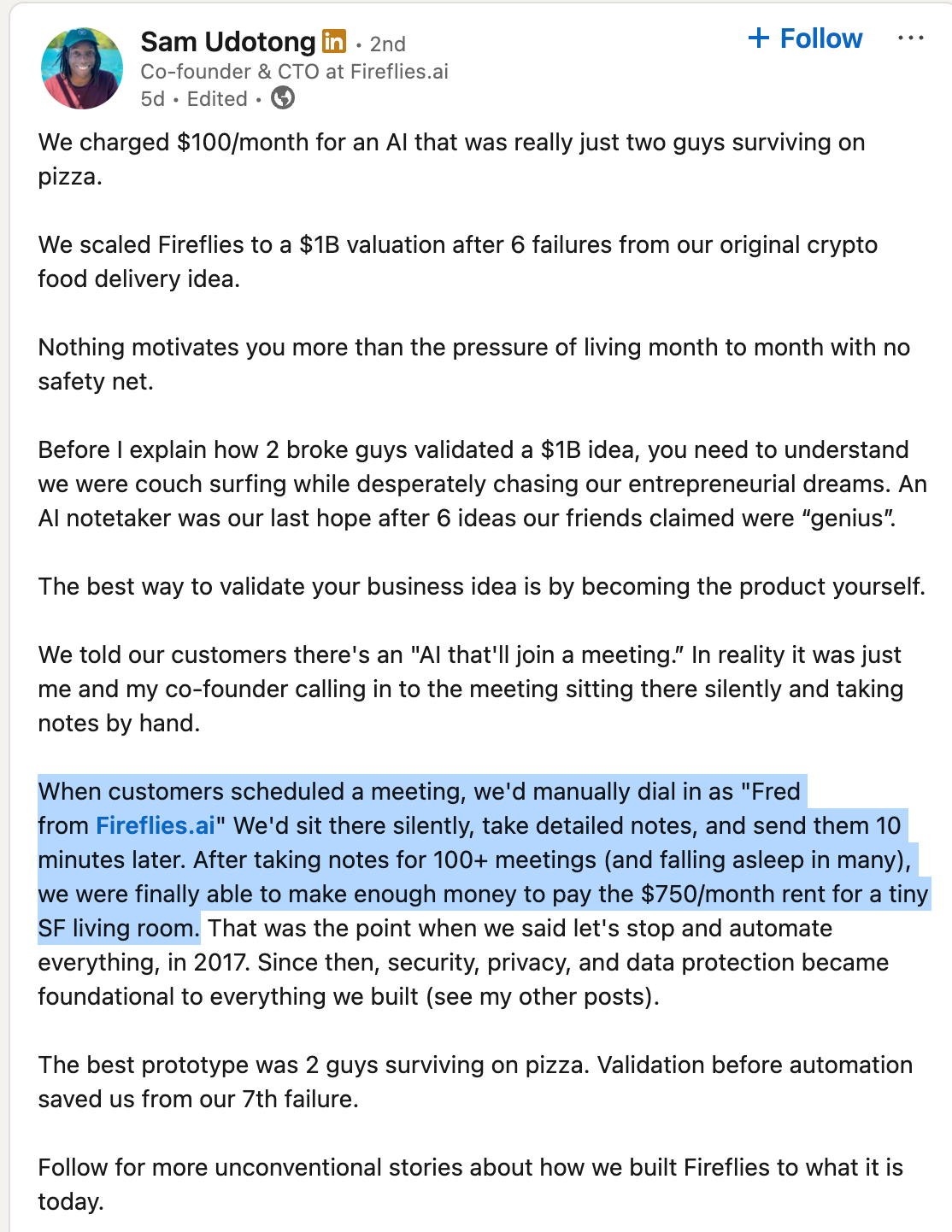
Depending on who you are, this is either an immense story about “grind culture” and founders making things work, or an immense (and potentially illegal?) breach of privacy rules. I, for one, think the idea that my notetaker was “falling asleep” is probably not a good sign either. Neither here nor there, if you think Fireflies is just a “cool tool” -- you may be surprised to hear it has garnered a $1B valuation:
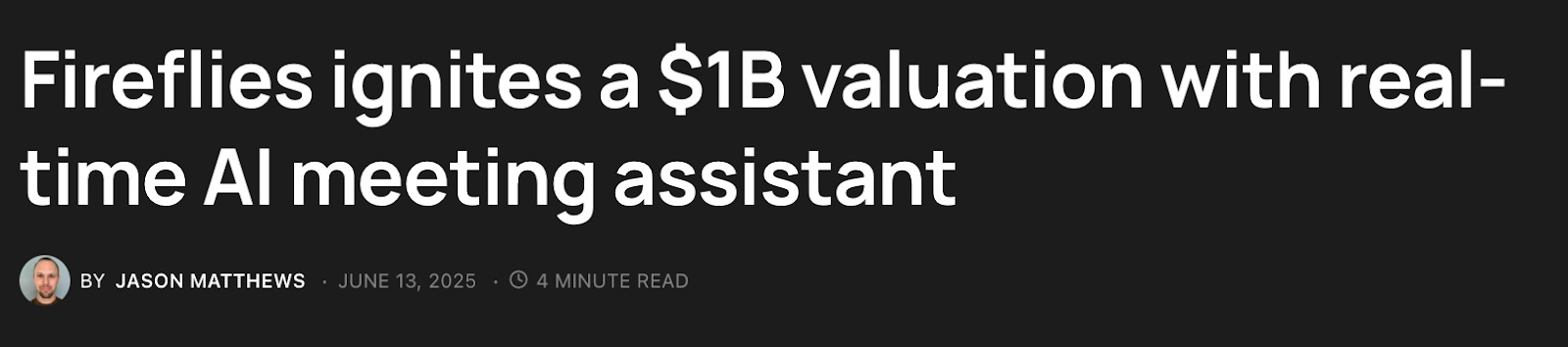
Fireflies.AI is currently used in 75% (!!) of Fortune 500 companies but what is very crazy is that they are not the only highly valued note-taking software: in note-taking software there is Evernote ($1B valuation), Turbo AI ($250M valuation), ReadAI ($450M valuation), Notion ($10B valuation; note: the Notion-heads in the chat may disagree that this is a note-taking software) and in transcription software there is Abridge ($200M valuation). And all of this — to just not LISTEN TO CALLS. It’s absolutely incredible how bad we’ve gotten at listening!
But the one I am most intrigued by is Granola because I think it demonstrates a much more interesting future.
Granola and the Path to Screen Recording
If you are a real note-freak and use a tool like Fireflies, you’ll come to learn it’s sort of just ok. For example, I run a lot of meetings where I mine calls for fact-finding and interesting context. For those types of calls, Fireflies is really bad -- because Fireflies focuses on one thing -- meeting outcomes (e.g., action items, tasks, summaries). And for most meetings -- that’s good enough! But there’s a ton of context that is lost in the meeting as the tool searches for someone saying “ok for next call we need to XYZ".”
The problem is a lot of meetings are in the context — is this person doing a good job? What would I like to add to the next presentation so it goes better? How could I improve clarity in this presentation?
If you haven’t used Granola -- it’s pretty cool. The main point of Granola is that unlike transcription software like Fireflies, Granola’s core point is that a lot of the context in meetings sort of sits in the gray area between humans and the transcription. So the promise is that it takes your hand-written notes and combines it with “bot-free” audio (it won’t join your calls!).
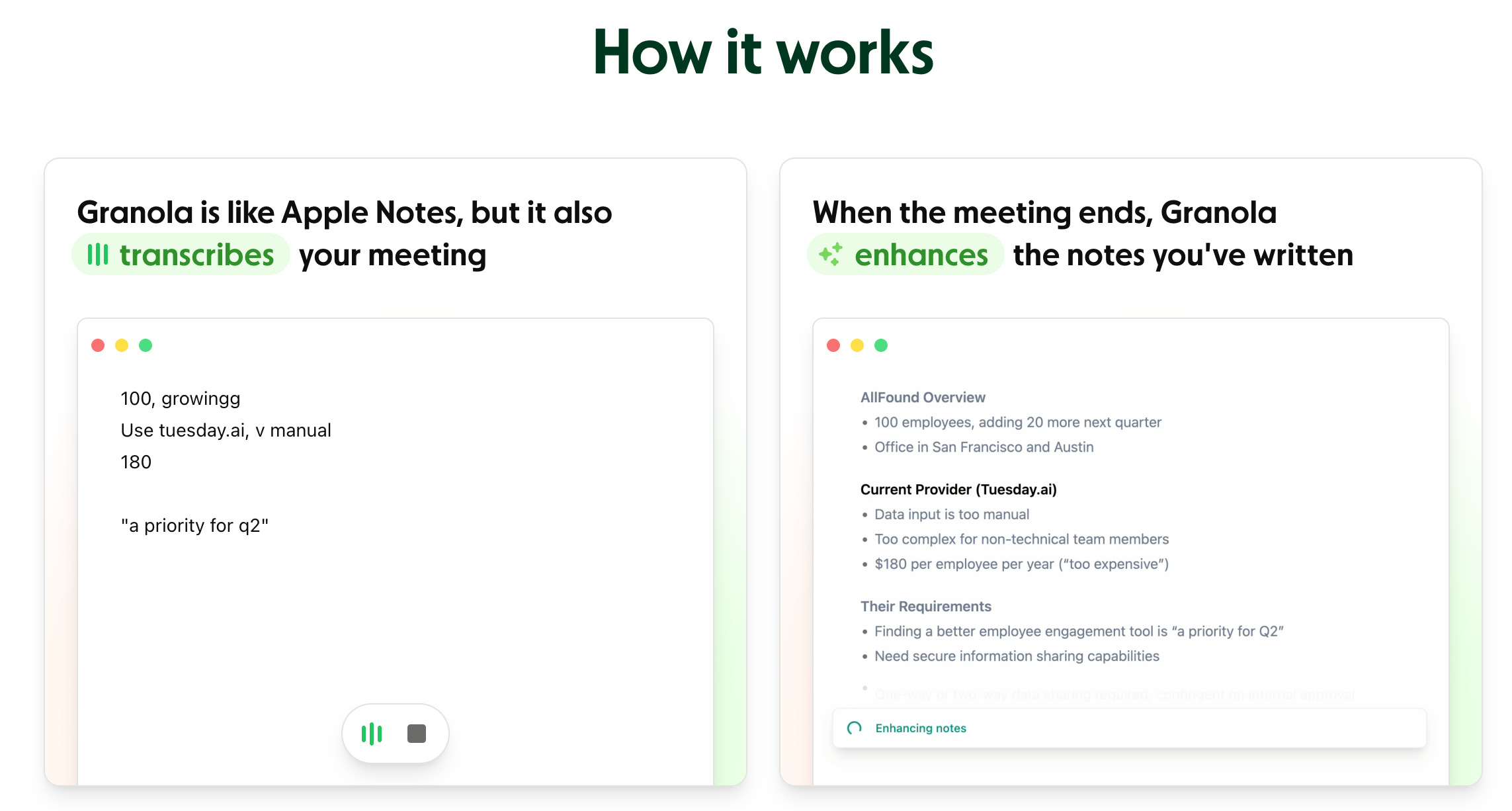
But one teensy, weensy problem is that it sits on the user’s computer and doesn’t join calls (it uses the audio from your device)— so technically, if someone you’re talking to is using Granola — you can be recorded without your consent (tbh, not much different than those Fireflies guys I guess???).
This is bad! In fact, it’s so bad 11 states mandate that you need two-way consent for recording calls (namely, California, Illinois, and Florida). As a user, my guess is a lot of these users aren’t getting opt-in consent; in fact, here is a story from a VC:
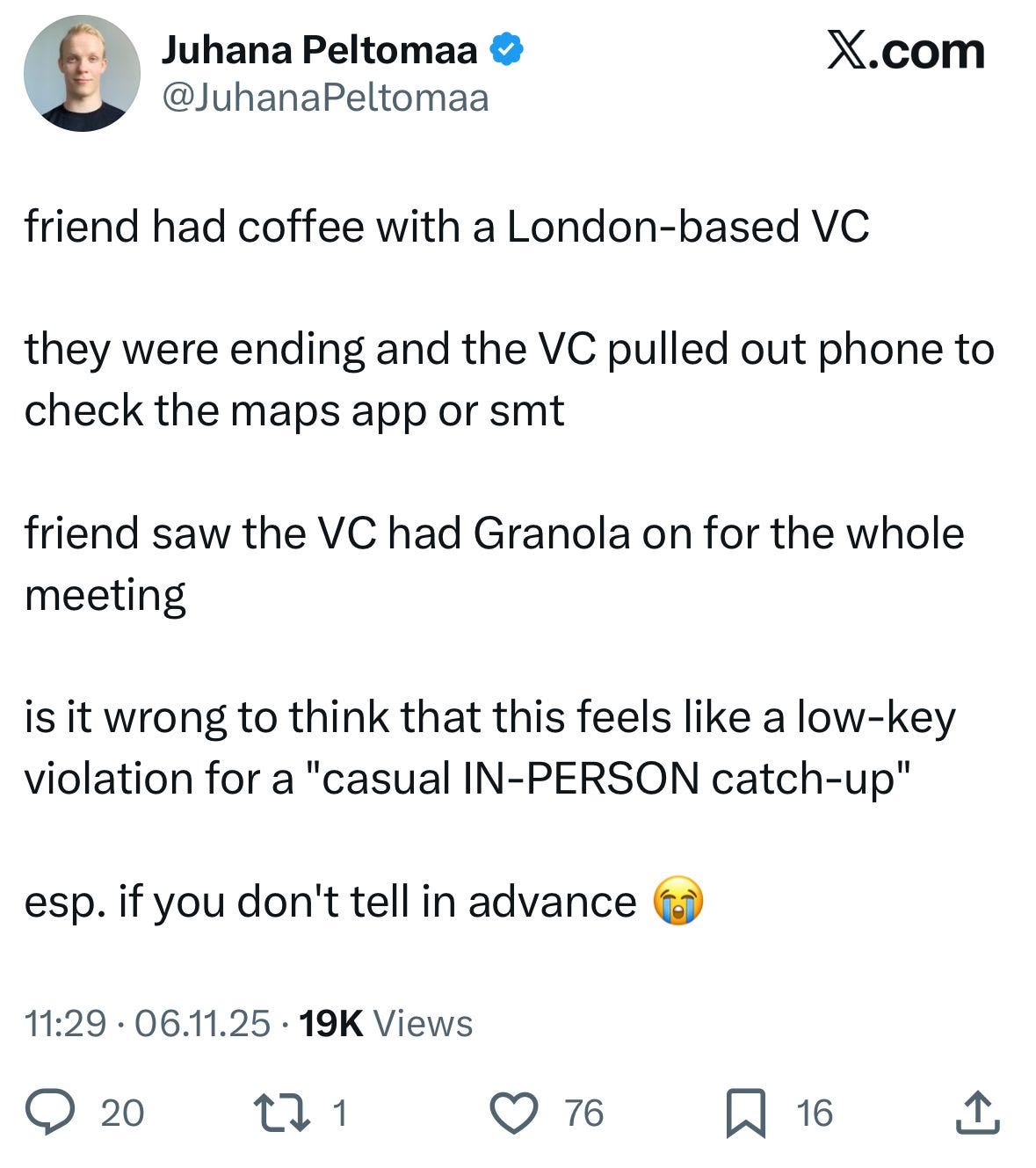
That’s crazy -- this VC couldn’t even get through a coffee without listening! Our attention spans are absolutely shot!
Granola is a glorified screen recorder -- it watches everything you do, because it’s right -- humans are weirdos. They listen for important things, they want to hear different ideas -- that’s why it’s so important to get as close as possible to the end user. That’s where all the smarts are -- and that’s exactly why note-takers like Granola show us a really clear path to job replacement, where the next major huge valuations are heading.
Screen Recording and the Bridge to Agents
Imagine that you join a new company. It’s great and you get even better news the first day. The company says “here’s $1000, you can go get your own laptop” all you have to do is install a screen recorder (that only records you when you are on VPN!), that will help you a) take notes and b) create workflows.
At first it seems great, but soon — you hear that the company has been watching “longitudinal workflows” and starts creating hyper-specific agents for your team. Soon, there are a lot of agents and not enough work — they downsize the team (but you got a free laptop out of it!).
My guess is this type of work arrangement is coming soon to a lot of companies-- it helps companies avoid the large CapEx costs of holding laptop equipment while also creating a deep video recording base for their workforce (a way to cut OpEx too! Win-win!).
Now you may be saying -- c’mon that’ll never happen. But it turns out it’s happening right now. Scribe started off as a knowledge transfer tool -- you’ve been at a job where you’d have to transition across all your workflows, so you create all this documentation and screen recordings of the work you do -- and it sits in a never-read folder on your old boss’s laptop.
Scribe looked to automate that process (and did it pretty well!) -- now they are headed to the promised land and removed all mystery on their next move:
After helping thousands of enterprises document how work actually happens, Scribe has raised $75 million at a $1.3 billion post-money valuation to roll out Scribe Optimize, a platform that maps workflows across the enterprise to reveal where automation and AI will actually yield returns — instead of becoming another sunk cost.
To date, Scribe has documented more than 10 million workflows across 40,000 software applications. The startup said that it has more than 5 million users and is used by teams inside 94% of Fortune 500 companies. Further, 78,000 organizations are its paid customers. It counts teams at New York Life, T-Mobile, LinkedIn, HubSpot, and Northern Trust among its users.
Scribe is one of many of the future of note-taking-turned-screen-record tools in the market. Many of them are starting in the call center and my guess is they will expand into everyone’s job. I also wouldn’t be surprised if individual applications start to create their own “workspaces” that record clickflows — agents will only work if they understand the nuance of the work that you do — and all of that exists on your device, your clickpaths, and your actions.
Note taking is an easy “tip of the spear” way to start sniping your workflow, because our brains are incapable of paying better attention than a goldfish. But screen recording figuring out the white spaces in-between will be the real unlock for taking your processes away, whether you like it or not.